
Guide 2026: Home Networks and Power – Routers, Switches, UPS, Power Supplies, and Monitor Stands
Home technology is rapidly evolving: today we connect dozens of devices, work remotely, and demand total network and power stability. This guide presents the main trends for 2026 for routers and switches , backup power supplies (UPS) , computer power supplies , and monitor stands/arms . The focus is on features, efficiency, and security—always with links to the respective collections on UmBox.
Routers and switches: Wi-Fi 7, multi-gig ports and mesh.
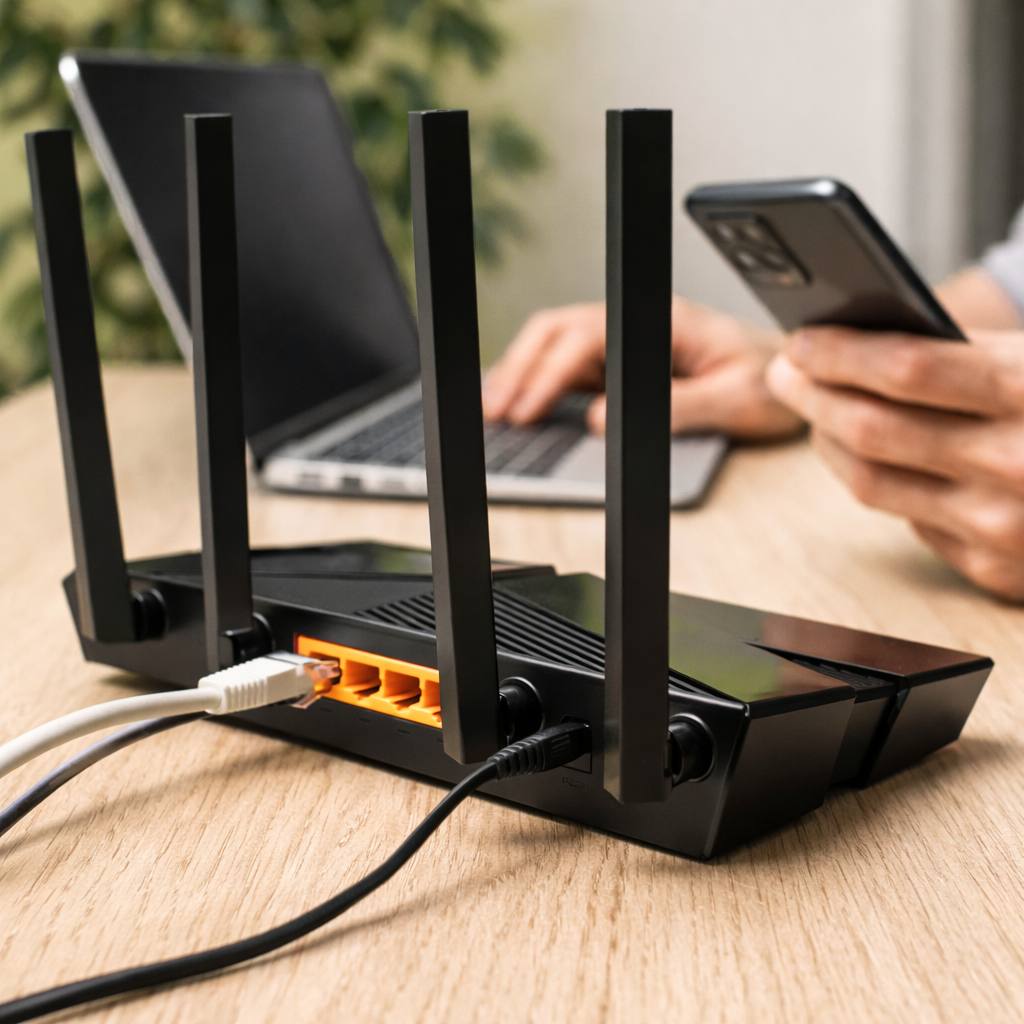
The heart of any digital home is the router. Wi-Fi 7 technology became the premium standard in 2026, offering superior speeds and greater bandwidth. As Tom's Hardware 's analysis explains, current Wi-Fi 7 routers combine performance and affordability; you don't need to spend a fortune to cover an average-sized home. Furthermore, the next generation (Wi-Fi 8) promises to further improve speeds in areas with weak signal. .
-
Tri-band and 6 GHz: Models like the Asus ZenWi-Fi BQ16 Pro reach speeds of over 3.5 Gb/s on the 6 GHz band, offering a fast and stable mesh network. Tri-band mesh routers cover large homes and allow dedicated backhaul between satellites to reduce speed loss.
-
Multi-gig ports: The TP-Link Archer BE9700 combines Wi-Fi 7 with 10 Gb/s ports and multiple 2.5 Gb/s ports to connect PCs and game consoles without bottlenecking. The BE9700 maintains solid performance in the 2.4 GHz and 5 GHz bands and shines in the 6 GHz channel. .
-
Affordable options: For those seeking value for money, the TP-Link Deco BE63 offers tri-band mesh networking, four 2.5 Gb/s ports per node, and app-based configuration in a two-module kit. Dual-band Wi-Fi 7 routers, such as the Archer BE3600, cost less than €100 and even include 2.5 Gb/s ports. .
-
Switches and PoE: In networks with multiple wired devices (PCs, consoles, IP cameras), a gigabit or multi-gig switch is recommended. Managed models allow VLANs and QoS; Power over Ethernet (PoE) switches power access points and cameras without separate power sources.
👉 See the collection of routers and switches for Wi-Fi 6E/7 solutions, mesh and PoE-enabled switches .
Uninterruptible power supplies (UPS): protection and autonomy
Power outages or surges can damage equipment and cause data loss. An Uninterruptible Power Supply (UPS) provides temporary power and filters voltage variations.
-
Protection against failures: According to the PC Guide , a UPS (Uninterruptible Power Supply) prevents power outages from resulting in abrupt shutdowns; the device only shuts down when the battery runs out. The goal is to protect PCs, consoles, and smart TVs from power surges and outages. .
-
Capacity and autonomy: Sizing is based on wattage . The article's table recommends 600–800W for mid-range PCs with a monitor, and 1000W or more for high-end machines. It is wise to choose a UPS with a higher power rating than your PC's power supply to ensure a few minutes of autonomy and allow you to save your work or shut down the system.
-
Management software: Modern UPS systems include USB or network connectivity; the software monitors the battery level and can automatically shut down the PC when power is running low. Larger models have network cards for integration with NAS or servers. .
-
Example application: A 500–900 VA UPS is sufficient to keep a router, switch, two access points, and a home automation hub operational for 1–2 hours. At home, an uninterruptible power supply (UPS) doesn't replace a generator for appliances like refrigerators, but it provides enough time to safeguard data and protect equipment. .
👉 Check out the UPS and voltage stabilizers Available at UmBox to protect your equipment.
Computer power supplies: efficiency, modularity, and protection.
The power supply unit (PSU) is the foundation of PC stability. The components of 2026—PCIe 5.1 GPUs and high-power CPUs—require robust PSUs. This ESGAMING article highlights the key features to consider:
-
Adequate power: Choose a PSU with enough power for your CPU and GPU, with headroom for overclocking and future upgrades. A primary PC with a main GPU may require 850–1200 W. while mid-range buildings function well with 650–750 W .
-
80 Plus Efficiency: Efficiency reduces energy and heat waste. The 80 Plus Gold certification offers a good balance between cost and savings. Bronze power supplies can work, but they must be of good quality; Platinum and Titanium offer superior efficiency at a higher price.
-
Modularity and cables: Modular power supplies allow you to connect only the necessary cables, improving airflow and organization. The ESGAMING 1200W model is fully modular and includes a silent ARGB fan and OVP, UVP, SCP, and OCP protections. For PCIe 5.1 GPUs, look for native 12V-2x6 connectors, such as on the Corsair RM850x, which also uses Japanese capacitors and offers a Zero RPM fan mode for silent operation. .
-
Protection and quality: Check protections against overcurrent, overvoltage, undervoltage, short circuit and overtemperature. Construction with high-quality components (105°C capacitors) ensures long-term stability. .
👉 Explore the range of power supplies ATX 3.1 and SFX available at UmBox.
Monitor and TV stands and arms
Working or playing with the monitor at the correct height prevents neck pain and increases productivity. Monitor stands allow you to adjust height, tilt, rotation, and free up desk space.
-
Ergonomics and organization: The PCWorld guide states that a monitor arm is easier to use than a fixed stand, offers a greater range of adjustments, and keeps the desk clutter-free. They are durable, and we typically replace the monitor before replacing the arm.
-
VESA compatibility: Most monitors use the VESA 100×100 mm standard (sometimes 75×75 mm), and compatible arms support both. For monitors without VESA mount, adapters are available.
-
Mounting: The arms include a clamp option for attaching to the edge of the table and a grommet option for internal holes; some models offer both. It is important to check the maximum thickness of the table and to ensure there are no obstructions underneath. .
-
Quality vs. price: Cheaper models may lack gas piston mechanisms, essential for smooth movement; in addition, they use more plastic, which reduces durability. High-quality arms use gas pistons or springs for smooth adjustment and support monitors 49 inches/20 kg or larger.
👉 See monitor and TV mounts From UmBox you can find single, double, articulated and wall-mounted armrests.
Conclusion
Building a reliable home network and protecting your equipment requires informed choices. Wi-Fi 7 routers provide multi-gigabit speeds and 2.5 Gb/s ports; UPS systems ensure devices stay powered and protected during power outages; efficient, modular power supplies keep your PC stable and ready for upgrades; monitor arms improve ergonomics and free up space. By visiting UmBox, you can compare these categories, read detailed specifications, and invest in components that maximize performance and durability—ensuring your workspace and entertainment setup is robust and future-proof.